- outlook
- windows
How to Open a .msg File Without Outlook (Free, No Upload)
Someone sent you a .msg file and it won't open. What a .msg file is, who can open one in 2026, the free way to read it without Outlook, and how to save it as a PDF without uploading it anywhere.
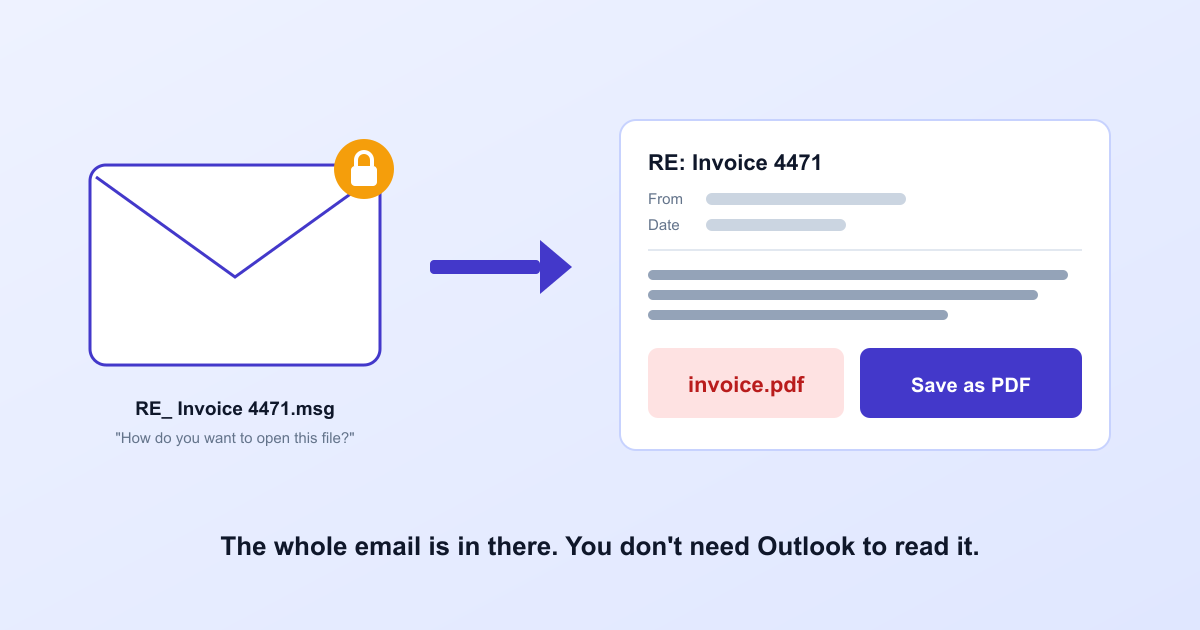
It usually starts with a forward. Someone at work, or a landlord, or an accountant, sends you an email with a file attached called something like RE_ Invoice 4471.msg. You download it, double-click it, and Windows asks which app you'd like to use. None of them work. On a Mac it's the same story, only quieter.
Short answer: a .msg file is a whole email saved by Microsoft Outlook, in a format only Outlook reads. You don't need Outlook to see what's inside. You need something that reads the file and shows you the email.
What's actually inside a .msg file
When you drag an email out of Outlook onto the desktop, or drag it into a new message as an attachment, Outlook packs the entire message into a single file. Not just the text. The sender and every recipient, the date, the formatted message, the pictures in the signature, every attachment, and sometimes another email attached inside that one.
It packs all that into Microsoft's own container format, the same family as the old .doc Word files from before 2007. And the message text inside is often compressed, in a rich-text format Outlook invented for itself. That's why a .msg file opened in Notepad looks like a pile of symbols with a few readable words floating in it. The email is in there. It just isn't stored in a way anything else expects.
Who can open a .msg file in 2026
| App | Opens .msg? |
|---|---|
| Classic Outlook for Windows (comes with paid Office) | Yes, double-click |
| New Outlook for Windows (built into Windows 11) | Only with a qualifying Microsoft 365 subscription |
| Outlook on the web | Same condition as the new Outlook |
| Outlook for Mac | No |
| Apple Mail, Thunderbird, Gmail | No |
| A browser viewer like ours | Yes, on any computer |
The new Outlook row is the one that catches people. It's already on most Windows 11 PCs, so it looks like the answer. But Microsoft's own support page says that "to open .msg and .oft files, your account needs to have a qualifying Microsoft 365 subscription". A free Outlook.com account doesn't count.
Fix 1: read it in your browser (any computer, no install)
- Open our MSG viewer and drop the
.msgfile into the box. - The email opens with its From, To, Cc and Date lines and the message as it was sent, pictures included.
- Download any attachment, or all of them as one .zip. If an email is attached inside the email, press Open and it opens in the same place.
- Press Save as PDF if you need a copy that opens anywhere. Your browser's print window appears; pick Save as PDF as the printer.
A few things we decided on purpose. Pictures that load from the sender's server stay blocked until you press Show them, because loading one tells the sender you opened the email, and roughly where you were. Pictures sent inside the email, like a logo in a signature, show straight away. And the file never leaves your computer: the viewer is about 70 KB of code that runs in the tab.
And the limits, so they don't surprise you. Most emails are written in HTML, and those look the way they did in Outlook. A few older ones were written in Outlook's own rich-text format; for those you get every word but not the fonts and colours, and the viewer tells you so. Meeting invites open with their time and description, but the viewer won't add them to your calendar. We tested it on 80 real .msg files, from Outlook 2003 to the new Outlook, in English, German, Russian, Chinese and Japanese. All 80 opened.
Fix 2: if you have Microsoft 365 through work
A work or school account usually comes with the subscription Microsoft asks for. Then the new Outlook opens .msg files. Double-click one, or drag it onto the reading pane. If double-clicking does nothing, Windows hasn't set the new Outlook as the app for .msg files yet; right-click the file, choose Open with and pick Outlook.
Fix 3: ask the sender to forward it normally
Honestly, we think this is the most underrated fix. A .msg attachment usually means someone in Outlook attached the email to a new message instead of forwarding it. Ask them to press plain Forward instead. You'll get the same email, in your own inbox, readable on any phone. It takes them ten seconds, and it fixes every future one too.
What doesn't work
Renaming email.msg to email.eml. It's a popular tip, and it's wrong: .eml is a different format, and renaming only changes the label. People who try it in Thunderbird report getting the headers and nothing else, with no message text and no attachments.
Upload-and-convert websites do work, but think about what's in the file before you hand it over. Saved emails are rarely holiday photos. They're the contract, the payslip, the HR letter, the invoice with bank details at the bottom: the kind of thing someone saved precisely because it mattered. None of that needs to sit on a stranger's server for a conversion your own browser can do.
FAQ
What is a .msg file?
One email, saved as a file by Microsoft Outlook. It holds everything Outlook knew about the message: who sent it, who it went to, the date, the text with its formatting, the pictures and the attachments. Sometimes even other emails attached inside it.
Can I open a .msg file without Outlook?
Yes. A browser viewer that reads the file on your own computer shows the email, its attachments and who it was between, and can save it as a PDF. Without Outlook, nothing built into Windows, macOS or a phone reads the format itself.
Does the new Outlook in Windows 11 open .msg files?
It can, but Microsoft's support page says opening .msg files needs "a qualifying Microsoft 365 subscription". On a home PC without one, the new Outlook won't open it.
Can I open a .msg file on a Mac?
Not with Outlook for Mac, which doesn't open .msg files directly, and not with Apple Mail. A browser viewer works on a Mac the same way it does on Windows.
Can I just rename .msg to .eml?
No. The two are different formats, and renaming changes only the label. People who try it in Thunderbird report getting the headers and nothing else: no message text, no attachments.
Is it safe to use an online .msg viewer?
Check whether it uploads the file. Many online converters do, and saved emails are often contracts, payslips, HR letters and invoices. A viewer that reads the file in your browser never sends it anywhere, and you can confirm that in the browser's Network tab.
The short version
A .msg file is a perfectly good email in a box only Outlook was given the key to. Read it in the browser, keep a PDF if it matters, and next time ask for a plain forward. The email was never the problem. The box was.