- heic
- security
- privacy
Are HEIC files safe? What can and can't hide in an iPhone photo
People ask us weekly whether a .heic file can carry a virus. Short answer: no, not the way you're picturing. Here's what's really inside the format, the image-decoder attacks that do exist, and why the converter site is a bigger risk than the file.
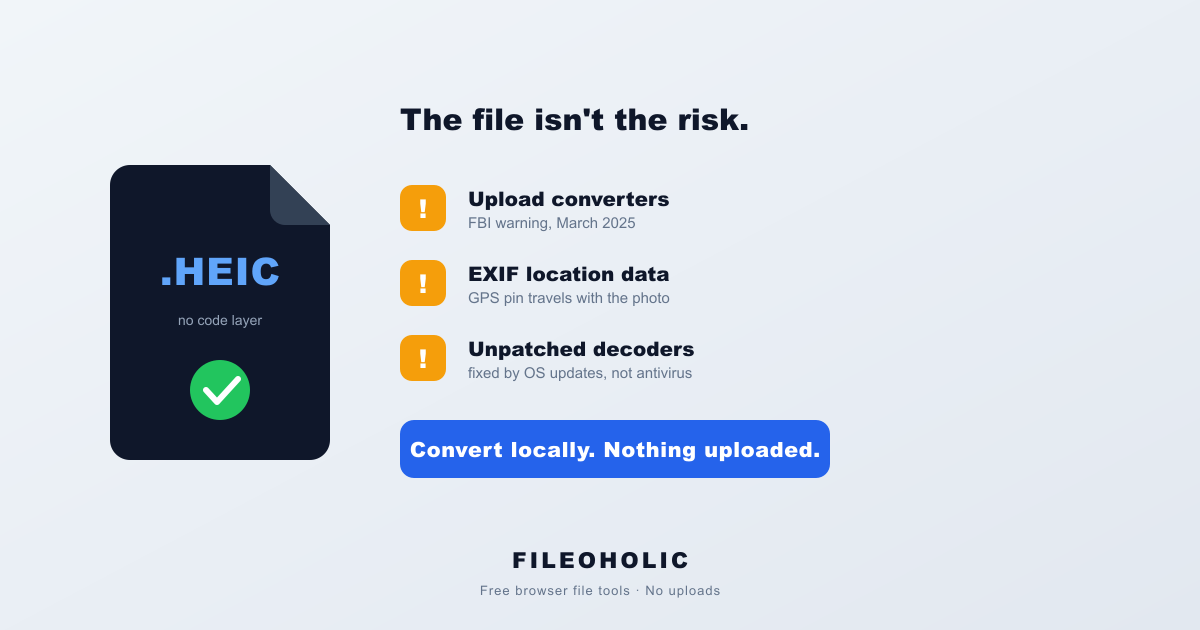
The question turns up in our search logs every week, phrased about six different ways. Is .heic safe. Can HEIC files contain viruses. Is this heic attachment a virus. And it almost always follows the same trigger: someone got a photo from an iPhone, Windows showed a black square instead of a picture, and a file that refuses to open starts to feel like a file that's hiding something.
It isn't. The blank thumbnail is a missing codec, and we'll get to why in a second. But the honest version of this answer is more interesting than a flat "yes it's safe", because there is a real security story around image files. It just has nothing to do with your sister's beach photos.
What's actually inside a .heic file
A .heic is a HEIF container (ISO standard, 2015) holding an image compressed with HEVC, plus metadata. That's it. Pixel data, EXIF tags, maybe a depth map or a burst sequence if your iPhone was feeling ambitious.
What it doesn't have is anywhere to put code. There's no macro layer like the one that made Word documents dangerous for twenty years, no script block like a PDF can carry, no executable header. Double-clicking a HEIC hands bytes to a decoder, and the decoder paints pixels. Nothing in that chain is designed to run instructions the file supplies.
So when Windows shows you a black thumbnail and an "unsupported format" error, that's the opposite of a threat. It's Windows admitting it has no decoder installed. Fix it by adding the free HEIF Image Extensions from the Microsoft Store, or sidestep it by converting. We wrote up both routes in why HEIC files won't open on Windows, and the licensing reason Windows ships without them in why HEIC isn't supported.
The part where security people say "well, actually"
Here's the nuance most "are HEIC files safe" pages skip entirely, and it's the reason we don't like giving a one-word answer.
A malicious image doesn't work by containing malware. It works by being deliberately malformed so that the code reading it does something wrong. Feed a decoder dimensions that don't match the data, and a sloppy parser writes past the end of a buffer. Do that precisely enough and the attacker chooses what gets written. The file is bait for a bug, not a payload.
This is not theoretical, and it's not old news:
- CVE-2025-43300. An out-of-bounds write in Apple's ImageIO, the framework that decodes HEIC and every other image format on iOS and macOS. Apple shipped an emergency patch in August 2025 and confirmed it had been used in what it called an extremely sophisticated attack. WhatsApp later disclosed that the flaw had been chained with a bug in its own apps against fewer than 200 people, which is the signature of commercial spyware rather than crimeware.
- CVE-2020-17101. Remote code execution in Microsoft's HEIF Image Extension. That's the exact Store add-on everyone (us included) tells Windows users to install so their HEIC photos show up.
- libheif. The open-source HEIC decoder sitting under a large share of tools, ours included. It's had a steady drip of heap overflows, null dereferences and memory-disclosure bugs through 2025 and into 2026, mostly in grid-tiled images. Every one of them was found and patched by people looking for exactly that.
Now the calibration, because a list of CVEs read cold is misleading. Attacks like these are expensive, they're burned the moment they're discovered, and the people who own them spend them on specific targets. Journalists. Activists. Executives. Not the group chat. If you're wondering whether the HEIC your colleague AirDropped you is a zero-click exploit, it almost certainly isn't, and you'd have no way to tell if it were.
Which points at the only defence that actually works here, and it's aggressively boring: install your OS updates. Every single one of those bugs was fixed by a patch that was sitting there waiting. No antivirus product would have caught them.
The bigger risk isn't the file. It's the converter.
Here's a query that shows up in our own Search Console: people typing the name of a HEIC converter site followed by the words "safe". They're right to ask, and they're asking about the correct thing.
In March 2025 the FBI's Denver field office put out a public warning about free online file-converter tools. The scam works because the tool works: you get your converted file back, and something unwanted comes with it. The Bureau described it as rampant, and flagged two separate harms. Malware bundled into the download, sometimes leading to ransomware. And the quieter one, the sites scraping the files you hand over for names, dates of birth, phone numbers, Social Security numbers, whatever's visible in the document. The FBI's own advice was to prefer tools already installed on your machine.
Think about what a HEIC actually is in that context. It's a photo from someone's phone. Family, kids, a whiteboard from work, a passport page they photographed to email to a travel agent. Uploading it to convert it means a stranger's server holds a copy, governed by a retention policy you didn't read, at a company you can't name.
Don't trust our privacy claim either. Check it.
Every converter site on the internet says it respects your privacy. Ours says it too, on nearly every page, so treat that sentence with the suspicion it deserves. Marketing copy is not evidence. The nice thing about uploads is that they're trivially observable, so you can settle it yourself in about twenty seconds:
- Open the converter and press F12 (or Cmd+Option+I on a Mac).
- Click the Network tab and leave it open.
- Convert a file.
- Watch the list. If your 3 MB photo is being uploaded, you'll see a request going out with roughly 3 MB of payload attached to it. Genuine browser-side conversion produces no such request at all.
That test works on any tool, not just ours. Run it on the next converter a search result sends you to. Honestly, we'd rather people made a habit of checking than took anyone's word for it, ours included.
The risk people never think about: what's in the metadata
Malware gets the headlines. Metadata is what actually leaks.
HEIC carries EXIF just like JPG does, and an iPhone with Location Services turned on for the camera stamps every shot with GPS coordinates, a precise timestamp and the device model. That's a map pin on your house attached to the photo of your dog. It travels with the file through email, through Slack, and straight into whatever server an upload-based converter is running.
If you're posting a photo publicly, strip the metadata first. If you're just sending it to a person, it usually doesn't matter, though it's worth knowing it's there. On an iPhone you can drop location per-share: Photos → Share → Options → turn off Location before you send.
How to sanity-check a HEIC from someone you don't know
A short list, in the order we'd actually do it:
- Check the real extension. Windows hides known file extensions by default, which is the single oldest trick in the book. A file displayed as
IMG_4821.heiccan beIMG_4821.heic.exe. In File Explorer, turn on View → Show → File name extensions and look again. Anything that's genuinely an.exe,.scror.lnkwas never a photo. - Look at the size. A real iPhone HEIC is usually somewhere between 1 and 3 MB. A 12 KB "photo" from someone you've never met deserves a raised eyebrow.
- Run it through VirusTotal if you're still unsure. It's free, and for a file this small it takes seconds.
- Make sure your OS is current before opening anything from a stranger. This one matters more than the other three combined.
And if it's just a photo from a friend whose phone happens to be an iPhone? Open it. That's the overwhelmingly likely case, and treating every HEIC as a threat is a good way to waste your afternoon.
FAQ
Can a HEIC file contain a virus?
Not in the way people mean. A .heic file holds image data and metadata, and there's no place in the format to store code that runs when you open it — no macros, no scripts, nothing like the executable payload a .exe or an old Office macro carries. The theoretical risk is different: a deliberately corrupted HEIC can attack a bug in the software decoding it. That takes a working exploit for your exact OS version, and in practice it's used against a handful of targeted people, not sent around in family photo albums.
Are HEIC files safe to open on Windows?
Yes for any normal photo. Windows can't even decode HEIC until you install the HEIF Image Extensions from the Microsoft Store, which is why an unopenable HEIC almost always means a missing codec, not malware. Keep Windows Update on and let the Store update those extensions, since the decoder itself has been patched for remote code execution before (CVE-2020-17101).
Is it safe to convert HEIC to JPG online?
That depends entirely on whether the site uploads your photos. Most online converters send your file to a server, where it can be stored, scanned for personal data, or retained longer than the site claims. In March 2025 the FBI's Denver office warned that free file-converter sites had become a common malware and data-theft channel. A browser-based converter that never transmits the file avoids the whole category, and you can verify that yourself in your browser's Network tab.
Are HEIC files safe to send by email?
Safe, yes. Reliable, no. Nothing about a HEIC attachment endangers the recipient, but plenty of mail clients, web portals and Android phones will show it as a broken or blank attachment. Convert to JPG before sending if you don't know what the other person is using.
Does a HEIC photo contain my location?
Often, yes. HEIC carries the same EXIF metadata JPG does, which on an iPhone with Location Services enabled for the camera includes GPS coordinates, the exact timestamp and the device model. That data survives the trip when you email the file or hand it to an online converter. It's the privacy risk people actually run into, and it's far more common than any malware scenario.
My antivirus flagged a HEIC file. What now?
Check the real file name first. Windows hides known extensions by default, so a file shown as IMG_4821.heic can actually be IMG_4821.heic.exe. Turn on File Explorer → View → Show → File name extensions and look again. If the name is genuinely .heic, a flag is usually a heuristic false positive, but there's no harm in uploading it to VirusTotal before you open it.
What we'd actually tell a friend
- HEIC can't carry a virus in the way people picture. There's no code layer in the format.
- Image decoders can be attacked, and it happens. It's spyware-grade, targeted, and defeated by installing OS updates.
- The realistic risk in "HEIC to JPG" is the website you hand the photo to, not the photo. The FBI issued a warning about that category in 2025 for good reason.
- Your photos carry GPS coordinates. That leaks more often than malware lands.
- Converting locally sidesteps all of it: HEIC to JPG in your browser, nothing uploaded. Verify it in the Network tab.
- New to the format? Start with the complete HEIC guide.
The file on your desktop is almost certainly a photograph of somebody's lunch. The thing worth being careful about is where you send it next.