- jfif
- windows
- formats
What Is a JFIF File? Why Windows Saves .jfif Instead of .jpg (and the Fix)
A .jfif file is just a JPEG with a different name — but upload forms still reject it. Here's why Windows does this, the registry fix that stops it, and how to batch-convert JFIF to JPG free in your browser.
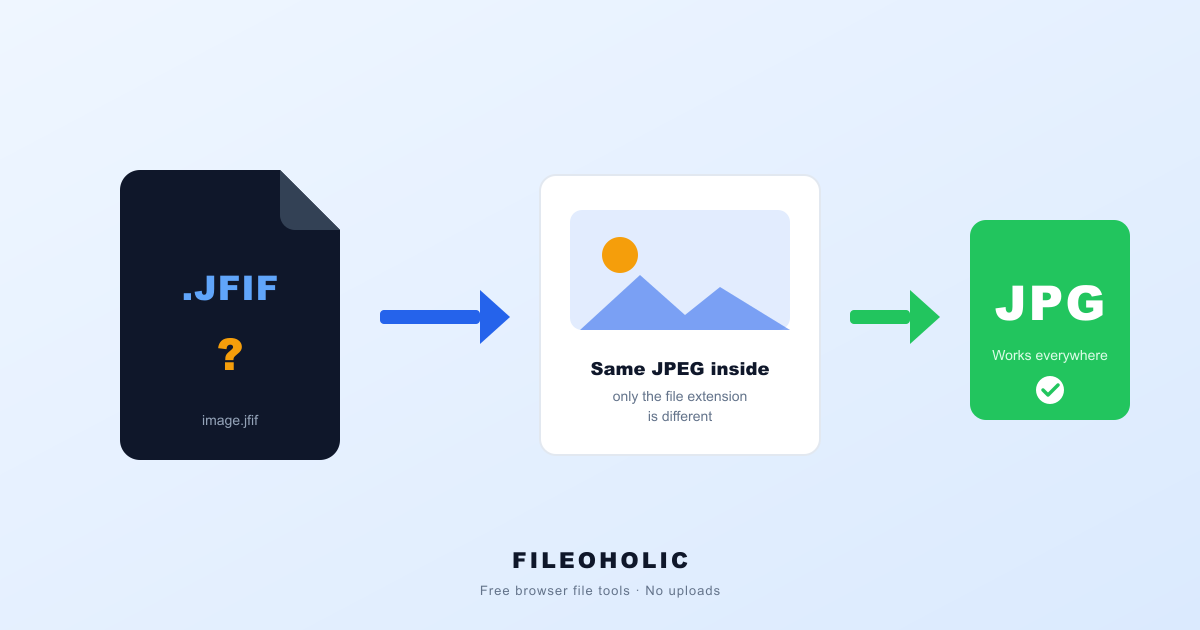
You save an image from a website, go to upload it somewhere, and the form rejects it. You look at the file and it's called image.jfif. You didn't ask for a JFIF. You've never heard of a JFIF. Windows just started doing this one day.
Short answer: a JFIF is a JPEG — same image data, different file extension. Windows sometimes saves web images as .jfif because of a broken registry mapping. For one file, renaming it to .jpg usually works. For a folder full of them, or when a picky form still refuses the renamed file, convert them properly. Both fixes below.
What JFIF actually is (a 30-year-old surprise)
Here's the twist: JFIF isn't some new format Windows invented to annoy you. JFIF — JPEG File Interchange Format — dates back to 1992 and is the standard container that nearly every .jpg file on the planet already uses internally. When a program writes a "JPEG file", it's almost always writing a JFIF.
So the difference between photo.jpg and photo.jfif is purely the label on the box. The bytes inside are the same format. That's also why this problem is so much easier to fix than a real orphan format like HEIC or AVIF, where the data itself needs decoding.
Why Windows suddenly saves .jfif
Windows keeps a registry table that maps web content types to file extensions. The entry for image/jpeg is supposed to say .jpg — but a Windows update, browser update, or app install occasionally flips it to .jfif, which is also technically valid. From that moment, every "Save image as…" in Chrome or Edge lands on your disk as .jfif.
The image is fine. But plenty of upload forms, older apps, and photo services validate the file extension rather than the file contents, see an extension they don't recognise, and refuse it.
Fix 1: rename the file (works for one-offs)
Because the data is identical, renaming image.jfif to image.jpg genuinely works most of the time. In Explorer, press F2, change the extension, confirm the "are you sure" prompt. (If you can't see the extension, enable View → File name extensions first.)
When renaming isn't enough: you have dozens of files, or the destination still sniffs something it dislikes. Then convert instead — our JFIF to JPG converter re-saves each file as a clean, unambiguous JPG right in your browser. Drop the whole batch at once; nothing is uploaded anywhere.
Fix 2: stop Windows doing it (the registry edit)
To fix the cause rather than the symptom, repair the registry mapping. This is a safe, well-known edit, but it does mean opening the Registry Editor — skip it if that makes you nervous, the converter route covers you.
- Press Win+R, type
regedit, press Enter. - Navigate to
HKEY_CLASSES_ROOT\MIME\Database\Content Type\image/jpeg. - Double-click the Extension value in the right pane.
- Change its data from
.jfifto.jpgand click OK.
New images you save from the web now arrive as .jpg. Files already saved as .jfif stay that way — rename or convert those.
JFIF vs JPG, side by side
| .jfif | .jpg | |
|---|---|---|
| Image data | JPEG | JPEG (identical) |
| Quality | identical | identical |
| Opens in Windows Photos | yes | yes |
| Accepted by upload forms | often rejected | yes |
| Fix needed | rename or convert | — |
JFIF vs JPEG: the same thing, spelled two ways
People write it both ways — JPG and JPEG — and it causes needless confusion here, so to be explicit: JFIF and JPEG are not competing formats. JPEG is the compression method (from the Joint Photographic Experts Group). JFIF is the container standard that says how JPEG-compressed data gets written into a file so any program can read it back.
Nearly every file you call a "JPEG" is, structurally, a JFIF file. So photo.jpeg, photo.jpg and photo.jfif can all hold byte-identical image data. Only the extension differs, and only the extension is what upload forms and older apps trip over.
Is JFIF a file type or a file format?
Both terms get used loosely, and either is fine in practice. Precisely: JFIF is a file format specification — published in 1992 — and .jfif is the file extension Windows occasionally assigns to files following it. Its MIME type is image/jpeg, exactly the same as a normal JPG, which is the root of the whole mix-up: the system knows the content is a JPEG image, it just writes an unusual extension for it.
Practical upshot: treat a .jfif as an ordinary photo file. It isn't a rare or proprietary format, it isn't lower quality, and it doesn't need special software — only, sometimes, a different extension.
FAQ
Is a JFIF file the same as a JPG?
Yes — the image data inside is identical. JFIF (JPEG File Interchange Format) is the technical name for the standard container almost every .jpg already uses. A file named .jfif is a normal JPEG wearing an unusual extension, which is why renaming it often works.
Is a JFIF file safe, or could it be a virus?
A .jfif file is just a JPEG image — picture data, not executable code — so opening one cannot infect your PC. The extension looks unfamiliar, which makes people suspicious, but it is exactly as safe as any .jpg.
Why did Chrome save my image as JFIF instead of JPG?
It's not really Chrome — it's a Windows registry mapping. Windows keeps a table that maps the image/jpeg content type to a file extension, and an update or app install sometimes flips that entry to .jfif. From then on, images you save from the web get the .jfif name until the mapping is fixed.
Does renaming .jfif to .jpg lose quality?
No. Renaming changes only the file name — every byte of image data stays exactly the same. Converting through our tool re-encodes at high quality, which is visually lossless for photos, and guarantees the output is a clean standard .jpg for picky upload forms.
How do I stop Windows from saving JFIF permanently?
Fix the registry mapping: in the Registry Editor, the image/jpeg content type's Extension value needs to say .jpg instead of .jfif. The exact steps are in the article above. If you'd rather not touch the registry, just convert the occasional .jfif you receive — it takes seconds.
What is the difference between JFIF and JPEG?
They describe different layers of the same file, not two rival formats. JPEG is the compression method that shrinks the image; JFIF is the 1992 container standard defining how that JPEG data is stored so any program can read it. Almost every file people call a JPEG is really a JFIF internally, which is why a .jfif and a .jpeg can contain byte-identical data.
What file type is a JFIF file?
It's an image file — specifically a JPEG image in the JFIF container. Its MIME type is image/jpeg, identical to a normal .jpg, which is exactly why the confusion arises: the content is a standard photo, only the extension is unusual. Any program that opens JPGs can open the image data; some simply refuse the unfamiliar extension.
Is JFIF lower quality than JPG?
No. Quality is determined by the JPEG compression settings used when the image was saved, not by the extension on the end of the filename. A .jfif and a .jpg saved from the same source at the same settings are pixel-for-pixel identical, and renaming between them changes nothing at all.
The five-second workflow
- A
.jfifis a normal JPEG with an unusual extension — nothing is wrong with your image. - One file? Rename it to
.jpgand move on. - Many files, or a form that still complains? Convert JFIF to JPG in your browser — batch, free, no upload.
- Want it to stop happening? Fix the
image/jpegregistry mapping (steps above).
Of all the file-format problems Windows can throw at you, this is the gentlest one: the file was a JPEG all along. Rename it, convert it, or fix the registry — whichever suits — and it never needs to cost you more than five seconds again.