- avif
- windows
- formats
How to Open AVIF Files on Windows 10 and 11 (Free Fix, No Upload)
Windows won't open .avif images without the AV1 Video Extension, free in the Microsoft Store. Install it, or convert AVIF to JPG in your browser, no upload.
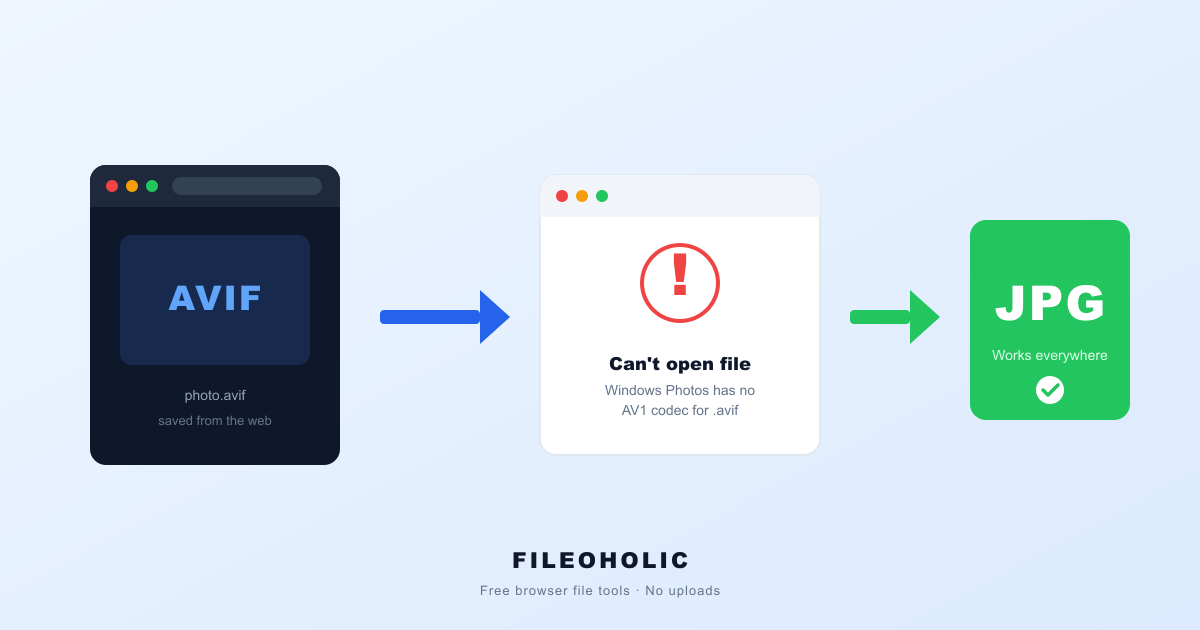
You right-click an image on a website, hit "Save image as…", and get a file like photo.avif. Double-click it on Windows and the Photos app throws an error, shows a black square, or asks you to buy a codec you've never heard of. The image opened fine in your browser ten seconds ago. What happened?
Short answer: AVIF images are compressed with the AV1 codec, and a default Windows 10 or 11 install doesn't include an AV1 decoder. Two fixes: install the free AV1 Video Extension from the Microsoft Store to view AVIF files, or convert the AVIF to JPG. Only the JPG route also works for email attachments and upload forms, which is why most people just convert.
What an AVIF file actually is
AVIF stands for AV1 Image File Format. It applies the AV1 video codec — the one YouTube and Netflix use for streaming — to single still images. The result is a file that's typically 30–50% smaller than the equivalent JPG at the same visible quality.
That size win is why the web is adopting it fast. Chrome, Firefox, and Edge all decode AVIF natively, so websites increasingly serve AVIF to save bandwidth — and when you save one of those images, you get the AVIF, not a JPG. Your browser can open it. The rest of your PC often can't.
If this story sounds familiar, it's because it's the same one HEIC wrote a decade ago: a technically better format arrived before the software that opens it. We covered that saga in why HEIC files won't open on Windows — AVIF is the sequel.
Three ways to open an AVIF on Windows
1. Open it in your browser (the zero-install trick)
Drag the .avif file into a Chrome, Edge, or Firefox window and it displays instantly — browsers have shipped AVIF decoders for years. This is the fastest way to just look at the image. It doesn't help when you need to attach it to an email or upload it to a form that rejects .avif.
2. Install the free AV1 codec from Microsoft
Microsoft distributes an AV1 Video Extension through the Microsoft Store, free. Install it and the Photos app plus Explorer thumbnails start handling AVIF. Worth doing if you deal with AVIF files regularly.
Two caveats. On some machines the Photos app needs a restart (or a sign-out) before it picks the codec up. And just like HEIC's extensions, the codec only fixes viewing — a web form that validates file extensions will still reject .avif no matter what codecs Windows has.
3. Convert the AVIF to JPG
The fix that works everywhere: convert to JPG and the file opens in every app, attaches to every email, and passes every upload form. Most online converters upload your image to their server first. Ours doesn't — the AVIF to JPG converter uses your browser's own AVIF decoder and re-encodes to JPG or PNG entirely on your device. Drop the file, download the JPG. You can watch the Network tab (F12) stay silent while it happens.
AVIF vs JPG, side by side
| AVIF | JPG | |
|---|---|---|
| Typical file size | 30–50% smaller | baseline |
| Quality at same size | noticeably better | baseline |
| Transparency support | yes | no |
| Opens in Windows Photos (default) | no | yes |
| Opens in Chrome / Edge / Firefox | yes | yes |
| Accepted by most web forms | often no | yes |
Why you can't stop websites from giving you AVIF
There's no browser setting for "download images as JPG". When you save an image, the browser writes exactly the bytes the website served — and if the site served AVIF, you get AVIF. Some sites serve different formats to different browsers, so a page that gave you a JPG last year hands you an AVIF today.
So the practical workflow isn't prevention, it's a quick post-save conversion when the file needs to go somewhere AVIF can't. Five seconds in the browser, no upload, done.
Which output should you pick: JPG or PNG?
JPG for photos and anything you'll email or upload — smallest file, universal support. PNG if the image has transparency or sharp graphics you want preserved losslessly; expect a much bigger file. If you're unsure which format wins where, our JPG vs PNG vs WebP guide settles it.
FAQ
Why does Windows Photos say it can't open my AVIF file?
A default Windows install has no AV1 decoder, and AVIF images are compressed with the AV1 codec. Without it, the Photos app shows an 'unsupported format' error or a blank preview. Install the free AV1 Video Extension from the Microsoft Store to view AVIF, or convert the file to JPG so it opens in every app.
Why do images I save from websites end up as AVIF?
The website served the image as AVIF because it is 30–50% smaller than JPG, and 'Save image as…' saves exactly what the site sent. There is no browser setting to force JPG downloads. The quickest fix is converting the saved .avif to JPG afterwards.
Are AVIF files safe to open, or could one be a virus?
An .avif file is an image container — it holds compressed picture data, not executable code, so opening or converting one cannot infect your PC. If an AVIF won't open, that is a missing-codec problem on your machine, not malware in the file.
Can I just rename .avif to .jpg?
No. Unlike JFIF, AVIF is a genuinely different format — renaming the extension does not change the AV1 data inside, and apps will still fail to open it (or refuse it with a confusing error). The file has to be actually decoded and re-encoded as JPG.
Does converting AVIF to JPG lose quality?
JPG is lossy, so there is a small re-encode loss, but at quality 90 it is visually identical for photos. If you need zero loss after decoding — say, for a graphic with sharp edges or transparency — convert to PNG instead.
The five-second workflow
- AVIF is the web's new space-saving image format. Browsers open it; default Windows doesn't.
- To view AVIF in Photos and Explorer: install the free AV1 Video Extension from the Microsoft Store.
- To email or upload it: convert AVIF to JPG in your browser, no upload required.
- Got a weird
.jfiffile instead? Different quirk, same easy fix.
AVIF is a genuinely better format, and in a few years this article will be obsolete. Until then, JPG remains the format you can send anywhere without thinking — so convert before you share, and keep the AVIF if you care about the original.